Kulya 4.0 {controller}

HEXAPOD Kulya 4.0
The controller is the interface between the human and the robot. In this DIY, we will build a wireless controller based on MicroPython, with its own logic, power system, and enclosure. It is a separate system that works in synchronization with the robot and shapes its behavior in real time.
0
people already downloaded this DIY
Step 1

Get to know the components

Open the file [HEXAPOD KULYA 4.0] Full Components List and make sure that you have all the necessary elements for the remote control.

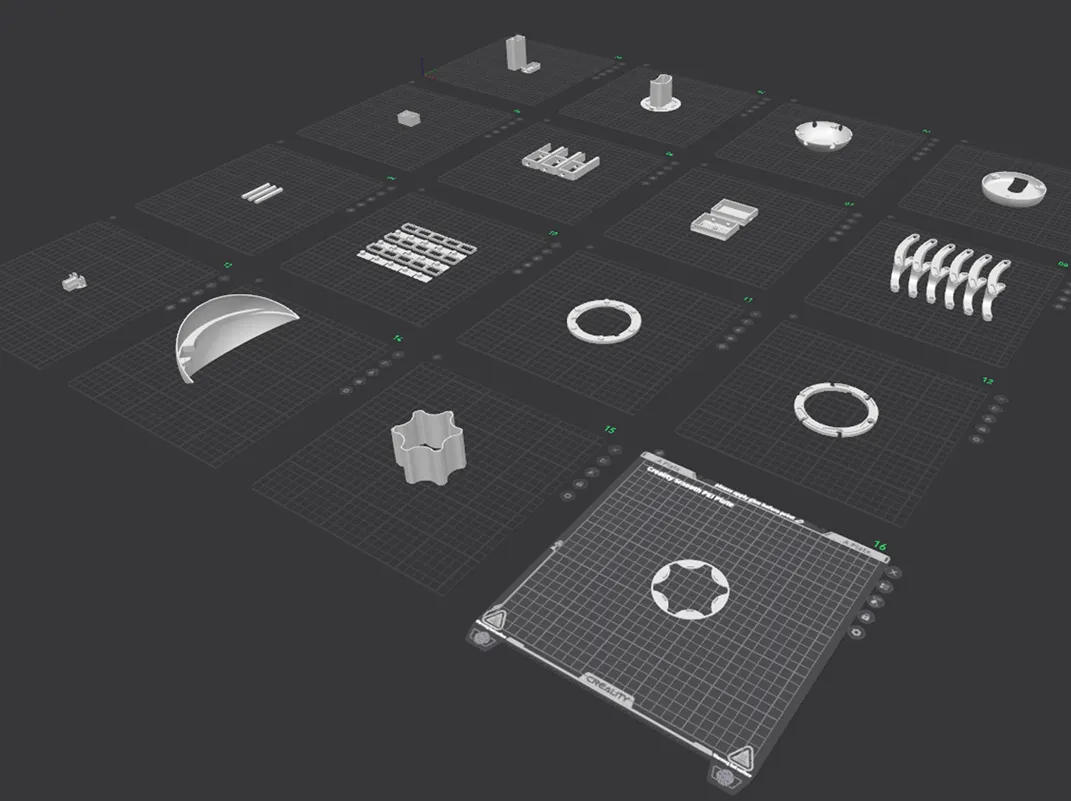
After checking, start printing the case of the future controller.

.STL files with the correct orientation on the printer surface are available
Step 2

Placing and Soldering the Components

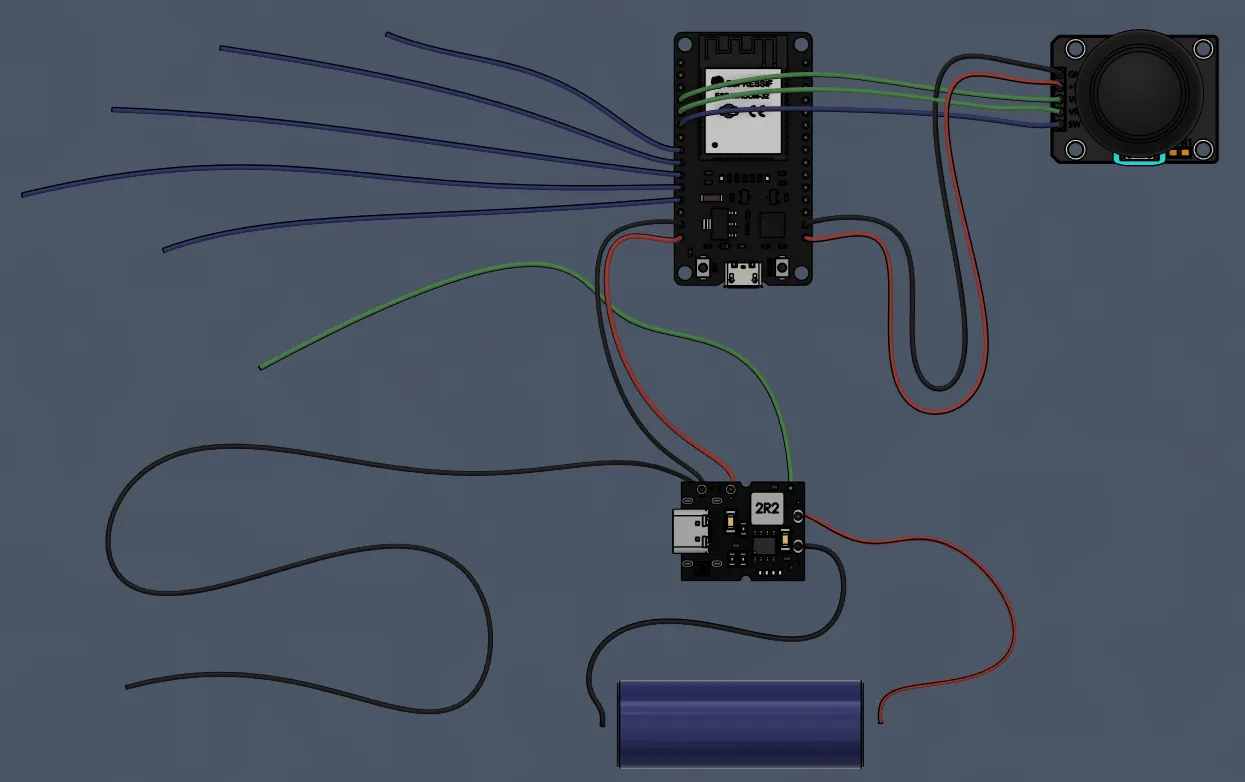
Open the file — this is the complete wiring diagram. Make sure you understand where the power, buttons, and joystick go.
Picture 1. rc_all FILe
Refer to file
Picture 2. #1 rc-wires-length file
According to the diagram, VCC, GND, VRx, VRy, and SW correspond to ESP32 pins. Check polarity before soldering to a battery.

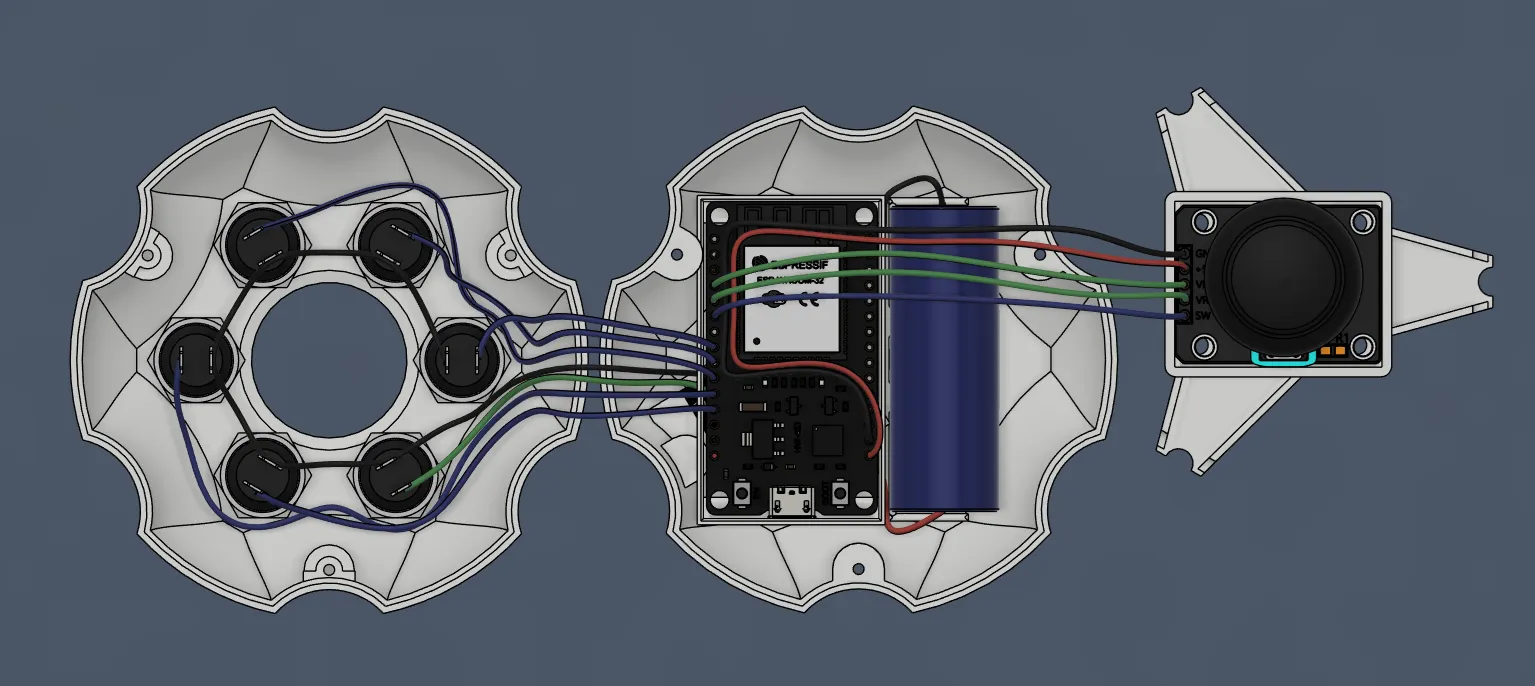
Each button is a separate GPIO + common ground. Check the placement in file
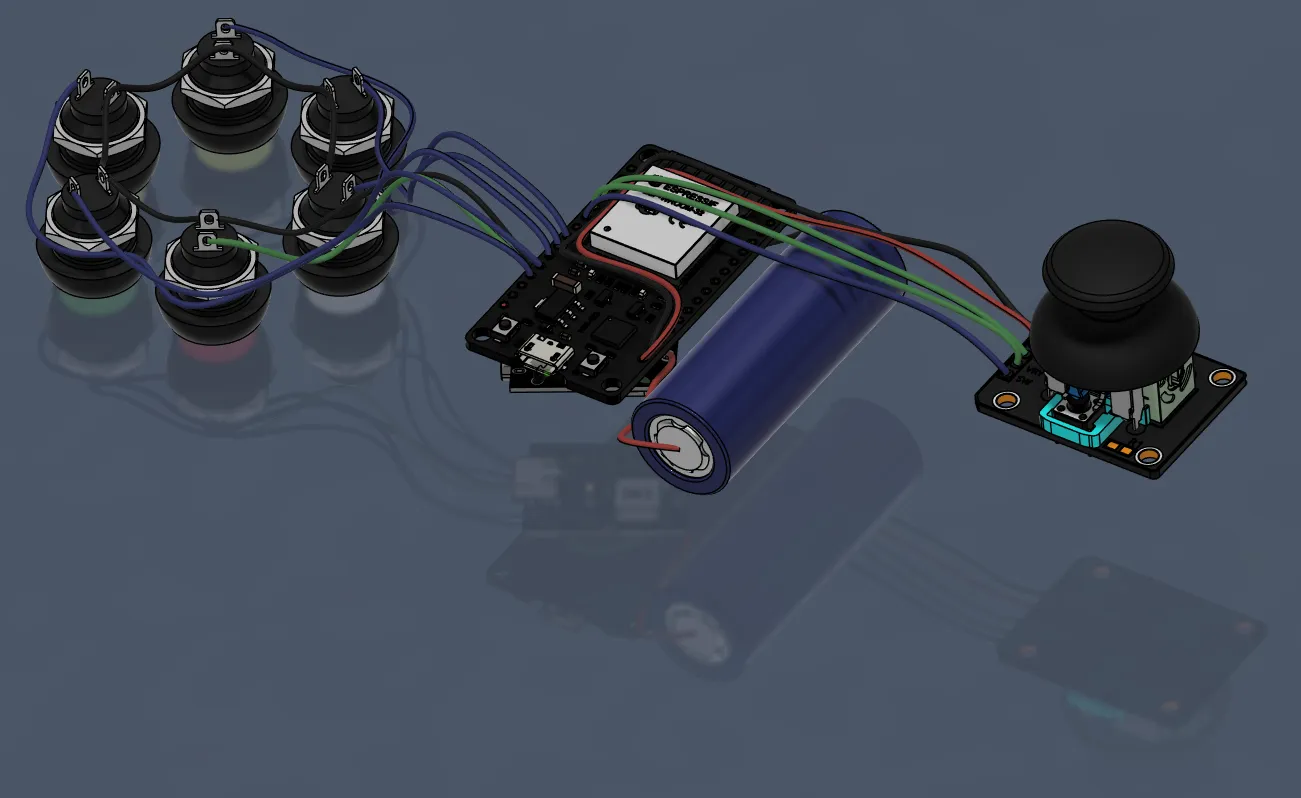
Картинка 3. #2 rc-wires-in-place file
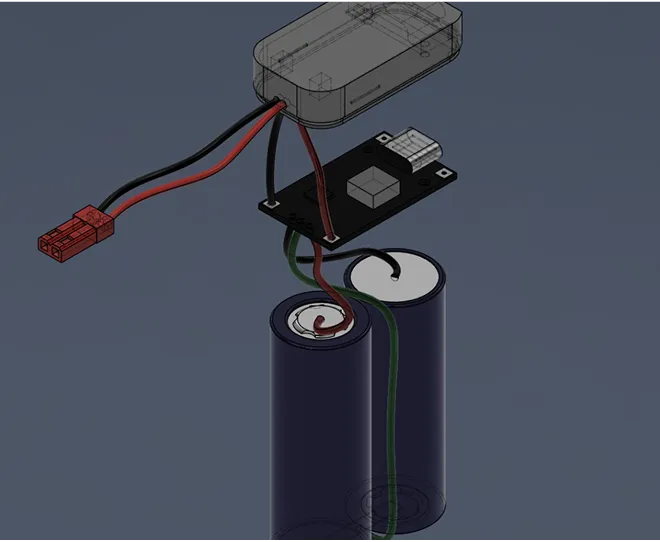
Battery → DC-DC charging module → 5V to ESP32. Before turning it on for the first time, check the output voltage with a multimeter.

No bare contacts. 
No crossed plus/minus. 
The wires should not be pulled.

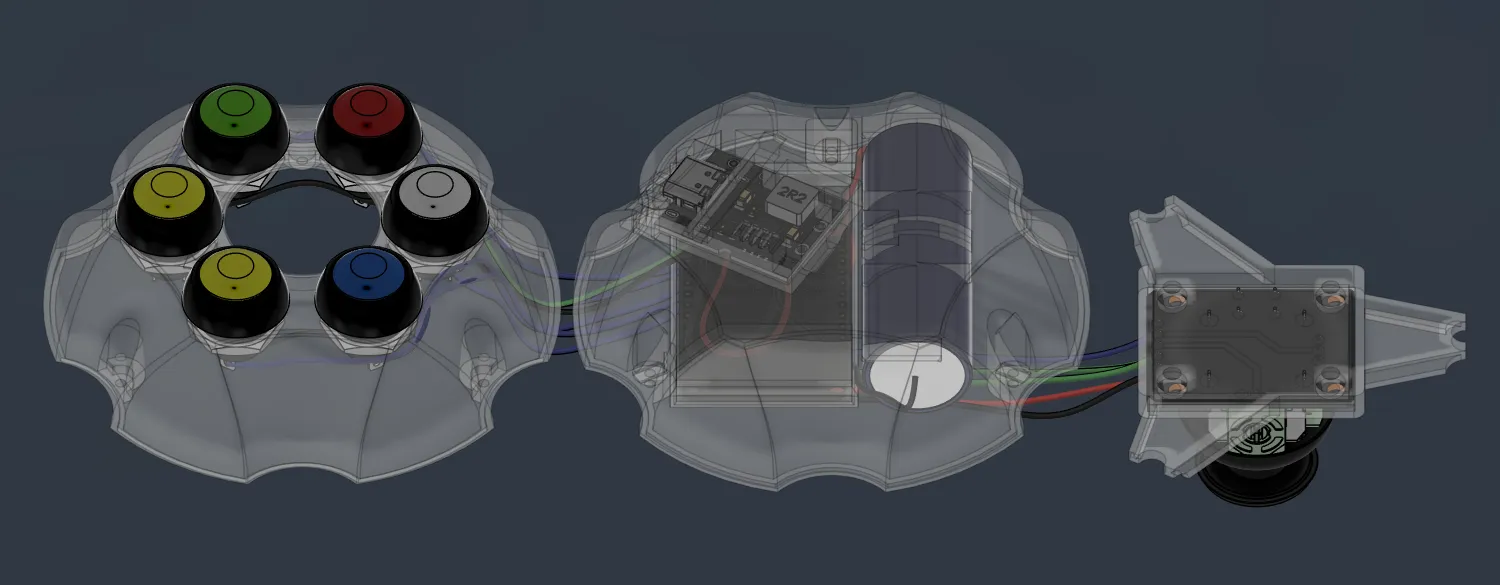
After that, you can proceed to laying the wires in the housing.
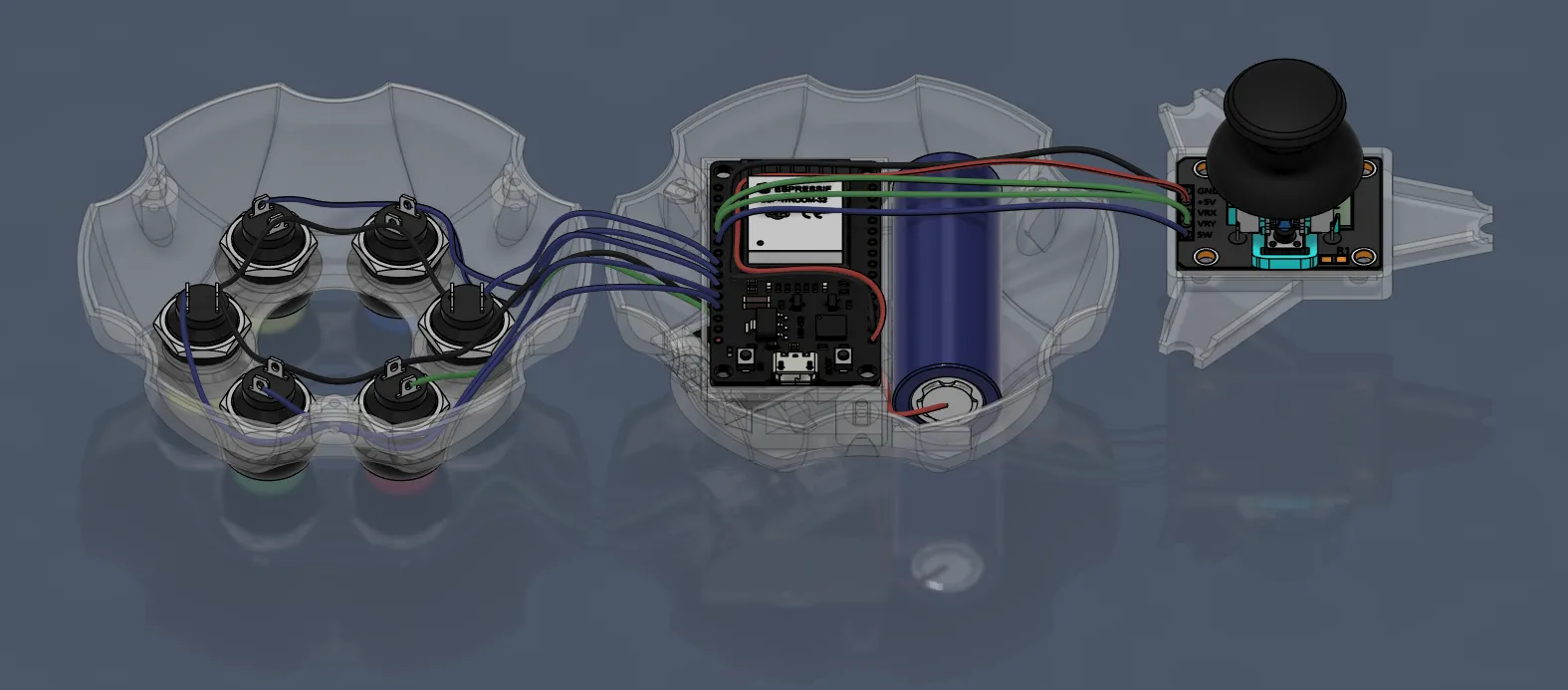
Pictures 4 & 5. laying the wires in the housing
Step 4

Connecting the Robot and the Controller

Turn on the remote control. 
Turn on the robot separately using the power button on the body. 

Wait 1-3 seconds for the connection to be established. Then try to control the joystick to start the movement. 

Check the button functions and make sure the robot responds correctly to commands.

The controller is ready!

You now control KULYA’s movement, direction, and behavior in real time.

The controller is not just a set of buttons. 
It is your interface to the robot — your way of interacting with the logic you built.

And this is only the beginning. 
The control system can now evolve together with your ideas.

Other diy-kits

HEXAPOD Kulya 4.0
7124

kulya 4.0 {body}

This block contains .stl files and video instructions for assembling the robot body. It describes the sequence of mechanical steps from printing the parts to a fully assembled body.
Open diy
HEXAPOD Kulya 4.0
7124

kulya 4.0 {battery}

This block contains instructions for building the battery for the KULYA 4.0 robot from scratch. It explains safety guidelines, correct power element connections, and recommendations for safe operation.
Open diy